
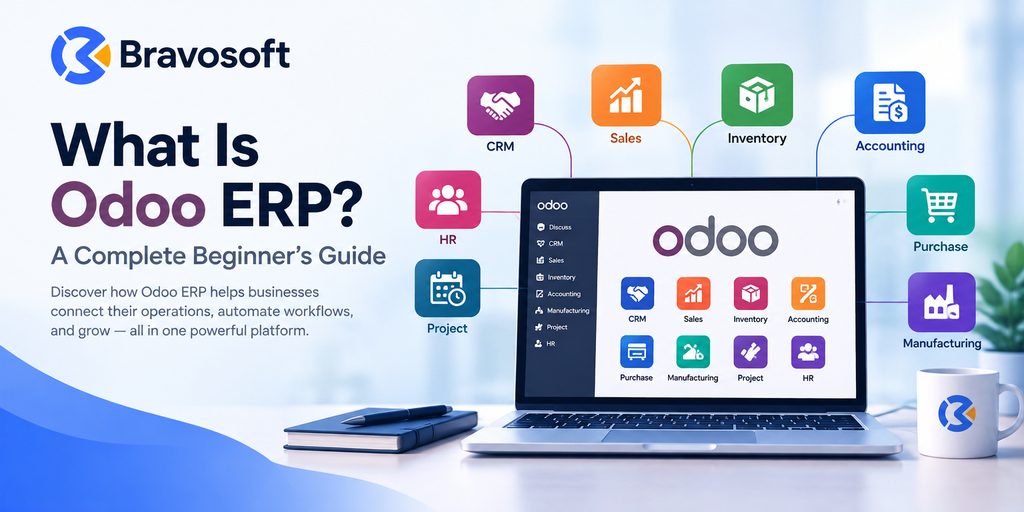
Odoo ERP is an open source, modular business management platform that brings together applications such as CRM, sales, accounting, inventory, purchasing, manufacturing, and human resources into one connected system. Instead of running separate tools for each department, a company using Odoo ERP works from a single shared database, so information entered in one application becomes available across the others.
Businesses adopt ERP systems in the first place because spreadsheets and disconnected software tend to create duplicate data entry, inconsistent records, and limited visibility into what is actually happening across the company. Odoo fits into that picture as a flexible option: a business can start with one or two applications and add more as its processes mature, rather than committing to a single, rigid suite from day one.
What Is Odoo ERP?
Odoo ERP is an open source enterprise resource planning platform made up of interconnected business applications, including CRM, Sales, Accounting, Inventory, Purchase, Manufacturing, Project, and Human Resources. Each application runs on one shared database, so data entered in one module updates automatically across the others, giving a company a single, consistent source of business information.
Odoo was founded in Belgium in 2005 by Fabien Pinckaers, initially under the name TinyERP and later OpenERP, before being rebranded as Odoo in 2014. The project has grown into one of the more widely used ERP platforms globally, largely because of its modular structure and its open source foundation.
Odoo is distributed in two editions: the free, open source Odoo Community Edition, licensed under the GNU Lesser General Public License version 3 (LGPLv3), and the paid Odoo Enterprise Edition, which uses a separate proprietary license and adds official support along with additional features. Both editions share the same underlying framework, which is why an implementation can often move between them without a complete rebuild.
What Does Odoo ERP Do?
Odoo ERP helps a business manage the day to day functions that keep operations running. Depending on which applications a company installs, Odoo can help it:
- Track leads and manage the sales pipeline through the CRM application
- Create quotations, sales orders, and customer invoices
- Record financial transactions and manage accounting through the Accounting application
- Monitor stock levels and warehouse operations through Inventory
- Manage vendors, purchase orders, and incoming goods through Purchase
- Plan and track production through Manufacturing
- Process in-person sales through Point of Sale
- Organize tasks and timelines through Project management
- Handle recruitment, time off, and employee records through Human Resources
- Run an online store and manage a company website through eCommerce
- Plan and track campaigns through Marketing
Because these applications share one database, an action in one area often carries through to another automatically. Confirming a sales order, for example, can reserve the corresponding stock in Inventory and generate a draft invoice in Accounting, without a staff member re-entering the same information twice.
How Does Odoo ERP Work?
Odoo is built as a set of modular applications on top of a shared framework and a single PostgreSQL database. Each application, such as Sales or Inventory, can be installed on its own, which is what allows a business to adopt Odoo gradually rather than deploying an entire suite at once.
What separates this modular approach from simply running several unconnected apps is that Odoo’s applications are designed to interoperate from the start. A customer record created in CRM is the same customer record used in Sales and Accounting. A product defined in Inventory is the same product referenced in Purchase and Manufacturing. This shared data model is what allows information to flow between departments without manual exports and imports.
What Are the Main Odoo Modules?
Odoo’s application library covers a wide range of business needs. Some of the most commonly used modules include:
- CRM: manages leads, opportunities, and the sales pipeline
- Sales: handles quotations, sales orders, and order tracking
- Accounting: manages invoicing, payments, and financial reporting
- Inventory: tracks stock across one or more warehouses
- Purchase: manages vendors, purchase orders, and procurement
- Manufacturing: plans and tracks production and bills of materials
- Point of Sale: supports in-person, retail-style transactions
- Project: organizes tasks, timesheets, and project timelines
- Human Resources: covers employee records, recruitment, and time off
- eCommerce: builds and manages an online storefront
- Marketing: supports email campaigns and marketing automation
Odoo also offers a broader ecosystem of additional apps beyond this core set, developed both by Odoo S.A. and by third-party contributors, though not every app is relevant to every business.
What Are the Benefits of Odoo ERP?
Companies that adopt Odoo typically point to a handful of practical advantages:
- Centralized business data instead of information scattered across separate tools
- Connected processes, where actions in one department can update related records elsewhere
- Less duplicate data entry between departments
- Better visibility into operations through shared, up to date records
- Workflow automation for repetitive tasks such as invoice generation or stock reservation
- Modular adoption, so a company can start small and add applications as needs grow
- Scalability from a single-user setup to a larger, multi-department deployment
- Built-in reporting drawn from live operational data
These benefits depend on proper configuration and, in many cases, on choosing the right edition and hosting setup for the business in question.
Who Uses Odoo ERP?
Odoo is used across a range of company sizes and industries, though the depth of use tends to vary. Small businesses often start with a narrow set of apps, such as Sales and Accounting, to replace spreadsheets. Growing and mid-sized companies commonly expand into Inventory, Purchase, and Manufacturing as their operations become more complex. Larger organizations may run Odoo across multiple departments or legal entities, particularly on the Enterprise edition, which supports multi-company setups.
By industry, Odoo is commonly associated with retail, manufacturing, distribution, professional services, and eCommerce, since each of these sectors maps reasonably well onto Odoo’s core application set. Whether Odoo is a good fit for a specific company still depends on how closely its processes match what the standard modules offer out of the box.
Odoo Community vs Odoo Enterprise
Odoo Community and Odoo Enterprise share the same core platform but differ in licensing, features, and support.
| Aspect | Odoo Community | Odoo Enterprise |
| License | Free, open source (LGPLv3) | Paid subscription, proprietary Enterprise license |
| Core apps | Core set of business applications available | Includes Community’s core apps plus additional applications |
| Odoo Studio (low-code customization) | Not included | Included on Enterprise plans |
| Official Odoo support | Not included | Included with the subscription |
| Hosting | Self-hosted by the business | Odoo Online, Odoo.sh, or on-premise, depending on plan |
| Customization approach | Direct code changes by developers | Odoo Studio for many changes, plus custom development where needed |
Neither edition is automatically the right choice. Community suits organizations with in-house technical capacity that want to avoid subscription costs and are comfortable managing their own hosting. Enterprise suits organizations that prefer official support, faster access to newer features and applications, and a hosted or supported deployment path.
Is Odoo an ERP or Accounting Software?
Odoo is an ERP platform, not accounting software on its own. It does include a full Accounting application, and a business could choose to run that single module, but accounting is only one piece of a much broader system that also covers sales, inventory, purchasing, manufacturing, HR, and more. Standalone accounting software typically manages financial records in isolation, while an ERP platform like Odoo connects those financial records to the operational activity that generates them, such as sales orders and stock movements.
What Is the Difference Between Odoo and Traditional ERP Software?
Compared with many traditional, monolithic ERP platforms, Odoo differs in a few structural ways:
- Modular approach: businesses can adopt individual applications rather than deploying one large fixed suite
- Integration: all applications run on one shared database by default, rather than requiring separate integration projects
- Customization: because the Community Edition is open source, developers can modify the underlying code directly, which is not always possible with closed, proprietary systems
- Deployment: Odoo can run on Odoo’s own cloud hosting, on Odoo.sh, or on a company’s own servers, depending on the edition and plan
Whether these differences make Odoo a better fit than a traditional ERP platform depends entirely on a company’s requirements, existing systems, and internal technical resources. Some traditional platforms offer more built-in depth for specific industries, while Odoo tends to offer more flexibility in how it is adopted and customized.
How Much Does Odoo ERP Cost?
The Odoo Community Edition carries no license fee, though a business still pays for hosting, maintenance, and any development work needed to run and customize it. The Odoo Enterprise Edition is offered through subscription plans billed per user, per month, with pricing that varies by plan, billing term, and region.
Because Odoo adjusts its published rates periodically and prices differ by location, this article does not quote specific figures. Current subscription pricing is available directly on Odoo’s official pricing page, and it is worth confirming there before budgeting a project. Separately from the subscription itself, most businesses also budget for implementation work, which covers configuration, data migration, and training, and which is priced independently of the software license.
Is Odoo ERP Suitable for Small Businesses?
Odoo can be a suitable option for small businesses, particularly those that start with a small set of applications and expand as they grow. Its modular structure means a company is not forced to configure a full ERP suite on day one, and the free Community Edition gives budget-conscious businesses with technical resources a genuine no-license-cost starting point.
That said, suitability is not automatic. A small business should weigh a few factors before committing: how closely its existing processes match Odoo’s standard modules, whether it has (or can access) the technical capacity to manage self-hosting if choosing Community, its budget for either a subscription or in-house development, and how much customization its workflows are likely to require.
What Is Odoo ERP Implementation?
Odoo ERP implementation is the process of configuring the platform to fit a specific business’s operations. A typical implementation covers:
- Business requirement analysis, to determine which applications and workflows are needed
- Module selection, choosing the specific applications that match the business
- Configuration, setting up workflows, user roles, and business rules within those applications
- Data migration, moving existing records from spreadsheets or legacy systems into Odoo
- Customization, when standard configuration cannot cover a specific requirement
- Integration, connecting Odoo with other software the business already uses
- Testing, verifying that workflows behave as expected before go-live
- User training, so staff can work effectively in the new system
- Deployment, moving the configured system into live use
- Ongoing support, addressing issues and adjustments after go-live
Because implementation quality has a direct effect on how well an ERP system performs day to day, many businesses work with a partner for at least the configuration and data migration stages. Bravosoft’s Odoo implementation services cover this process for businesses that want experienced support moving from planning through to a working deployment.
When Does a Business Need Odoo Customization?
Standard configuration covers changes that can be made within Odoo’s existing settings, such as adjusting workflows, fields, and access rights without writing new code. This is usually sufficient for businesses whose processes align reasonably well with how Odoo’s applications already work.
Custom development becomes necessary when a business’s requirements fall outside what standard configuration or Odoo Studio can address, such as a specialized report, an integration with a legacy internal system, or a workflow specific to that company. In these cases, working with a team that specializes in Odoo ERP services can help determine whether a requirement is better solved through configuration, a third-party app, or custom code.
Conclusion
Odoo ERP is an open source, modular business management platform that connects applications such as CRM, Sales, Accounting, Inventory, Purchase, Manufacturing, and HR through one shared database. Businesses use it to replace disconnected spreadsheets and single-purpose tools with a more coordinated view of their operations, adopting individual applications as they need them rather than committing to one fixed suite.
Its modular structure is a large part of what makes Odoo approachable for smaller companies while still scaling to larger, multi-department deployments. At the same time, getting real value from Odoo depends on proper implementation and configuration, since a poorly scoped setup can leave a business paying for functionality it does not use, or missing functionality it actually needs.
For businesses that have decided Odoo is worth exploring and want help scoping, implementing, or customizing it correctly, Bravosoft’s Odoo services team can walk through requirements and outline a practical path to deployment.
Frequently Asked Questions
Odoo ERP is a modular, open source business management platform that connects functions such as sales, accounting, inventory, and HR through one shared database, so a company can run its operations from a single system instead of many disconnected tools.
Businesses use Odoo ERP to manage customer relationships, sales, invoicing, accounting, inventory, purchasing, manufacturing, point of sale, projects, human resources, and eCommerce, typically by adopting the specific applications that match their operations.
Yes. Odoo is classified as an enterprise resource planning system because it provides interconnected applications covering core business functions on a shared database, which is the defining characteristic of ERP software.
Odoo can suit small businesses, particularly those that start with a small set of apps and expand later. Suitability depends on budget, technical resources, and how closely the standard modules match the business’s processes.
Odoo offers modules including CRM, Sales, Accounting, Inventory, Purchase, Manufacturing, Point of Sale, Project, Human Resources, eCommerce, and Marketing, along with many additional apps in its broader ecosystem.
The Odoo Community Edition is open source, released under the GNU Lesser General Public License version 3 (LGPLv3). The Odoo Enterprise Edition uses a separate proprietary license tied to a paid subscription.
Community is free, self-hosted, and open source, while Enterprise is a paid subscription that adds official Odoo support, additional applications and features, Odoo Studio for low-code customization, and Odoo’s own hosting options.
Neither is universally better. Odoo tends to offer more modular adoption, a shared database by default, and more accessible customization, while some traditional ERP platforms offer deeper industry-specific functionality out of the box. The right choice depends on the business’s requirements.
Yes. Odoo can be configured through its standard settings, extended with Odoo Studio on Enterprise plans, or customized through direct module development for requirements that standard configuration cannot cover.
Odoo can integrate with other systems through its API and through connector apps, which allow it to exchange data with tools such as payment processors, shipping carriers, or other third-party platforms.
The Community Edition has no license fee, though hosting and maintenance still cost money. Enterprise plans are billed per user per month, with rates that vary by plan and region, so current figures should be confirmed on Odoo’s official pricing page.
Implementation timelines vary widely based on the number of modules, the amount of customization, and data migration complexity. A narrowly scoped setup can move faster than a multi-department rollout with custom development, so timelines are best assessed on a project by project basis.