
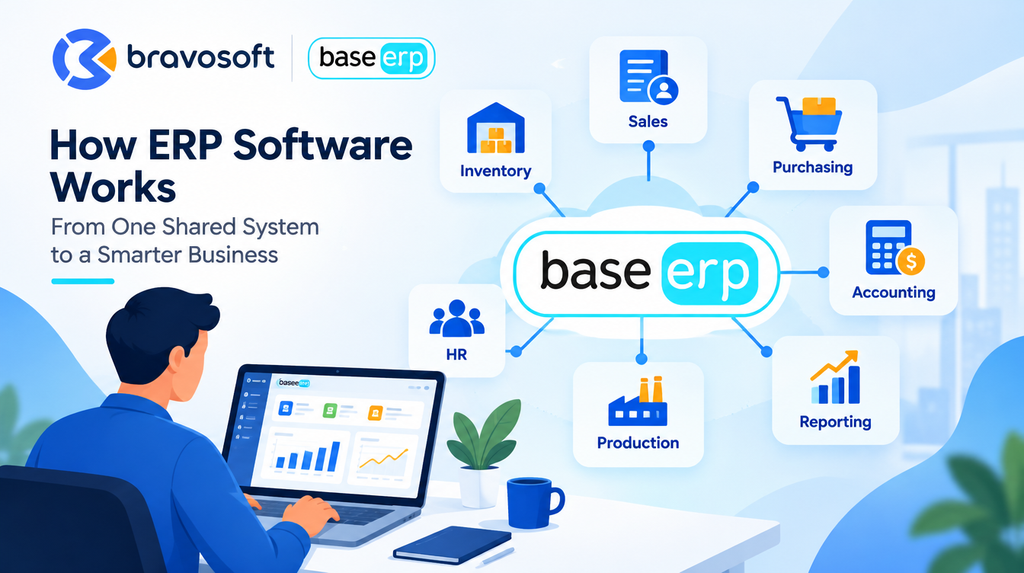
ERP software works by keeping business data in one shared system, dividing daily work into connected modules such as sales, inventory, purchasing, and accounting, and using workflow rules to pass each transaction to the next team. When someone records a customer order, the related stock check, invoice, and management report can draw on that same entry instead of being retyped in separate tools. The exact features and setup differ between ERP systems and depend on configuration. This guide explains how ERP software works step by step, using plain language and a practical example.
What Is ERP Software?
ERP software is a business management system that connects core functions such as sales, purchasing, inventory, production, finance, and reporting through shared data. ERP stands for Enterprise Resource Planning. Instead of each department keeping its own file or application, the departments work inside one connected environment.
Most ERP products are built from modules. A module is a set of tools for one business area, for example inventory or accounting. Vendors such as SAP describe ERP software as covering core areas including procurement, production, sales, finance, and human resources. Modules usually read from and write to a shared database or a closely connected data architecture, although not every product is designed in exactly the same way.
This is what separates ERP from using several separate business applications. With disconnected tools, staff export files, copy figures, and reconcile differences by hand. With an integrated business management system, one transaction can update the records that depend on it, within the rules the company has configured.
How Does ERP Software Work Step by Step?
A transaction enters the system, gets checked, becomes visible to the right people, triggers the next task, updates the records, and finally shows up in reports.
- Business data is entered. Employees enter or capture sales orders, purchase requests, stock movements, production details, invoices, and payments.
- Data is validated. The system applies required fields, permissions, and business rules. For example, it may reject an order with no customer, or stop a user from approving a purchase above their authority limit.
- Information is shared across connected modules. Once saved, the record is available to the departments that need it. Access depends on user roles, so a warehouse user and a finance user may see different parts of the same transaction.
- Workflows trigger the next action. A workflow is a defined sequence of tasks and approvals. A confirmed order may prompt a stock check, and an approved purchase request may move to procurement. Many steps still need a person to review or approve.
- Records and reports are updated. Transactions update stock quantities, balances, order statuses, and dashboards according to how the system was designed and configured.
- Managers monitor performance. Authorized users review reports, exceptions, trends, and key performance indicators, then decide what to change.
A Real World Example of How ERP Software Works
Consider a fictional furniture manufacturer, Northfield Furniture, that makes and sells office desks. A customer places an order for 200 desks. The details below show one possible ERP workflow. A real setup depends on the product chosen and the company’s own processes.
- Sales records the order. A sales executive enters the customer, quantity, price, and requested delivery date. The system validates the entry and saves a sales order.
- Inventory checks stock. The system shows that only 120 finished desks are available. The shortfall of 80 is visible to the responsible team.
- Planning reviews the shortfall. A production planner reviews the 80 desk gap and the materials needed, such as wood panels, hardware, and finishing supplies.
- Procurement follows the approval process. If materials are short, a purchase request is raised. It goes through the company’s approval route before a purchase order is sent to a supplier.
- Production plans the work. A work order schedules the 80 additional desks. As materials are issued and output is recorded, stock records change.
- The warehouse records dispatch. Finished goods are received into stock and then dispatched. Staff record the delivery in the system.
- Finance records the financial side. The invoice, the amount receivable, and later the customer payment are recorded. Depending on configuration, these can post to the accounts without retyping.
- Management monitors results. The owner reviews order status, stock levels, delivery performance, and financial results from reports.
The practical value is that each department works from connected information. There are fewer repeated entries, better visibility into where an order stands, and less time spent reconciling spreadsheets. The company still needs trained people, sound approval rules, and accurate entries for this to work.
Which Business Departments Does ERP Connect?
An ERP system can connect many functions, but the modules available depend on the product, the license, integrations, and configuration.
- Sales and customer management: Uses customer records, prices, and stock availability. Confirmed orders affect inventory, production, and invoicing.
- Inventory and warehouse management: Tracks stock by item and location. Stock levels influence what sales can promise and what procurement must buy.
- Procurement and supplier management: Handles purchase requests, supplier orders, and receipts. Received goods update inventory, and supplier bills feed accounts payable.
- Finance and accounting: Records invoices, payments, and balances. It depends on correct data from sales, purchasing, and inventory.
- Manufacturing and production planning: Uses orders, bills of materials, and stock to schedule work. Output increases finished goods and consumes raw materials.
- Human resources, where supported: Manages employee records, attendance, leave, and payroll. Payroll costs can feed into finance.
- Reporting and management dashboards: Pull data from the other areas so managers can see orders, stock, cash position, and exceptions in one place.
How ERP Modules Share Data
ERP data integration means that modules use common records instead of private copies. If Northfield Furniture ships 200 desks, that single dispatch can affect the stock quantity, the delivery status, the invoice, and the sales report.
Four terms are often confused. Shared data is the common set of records. Integrations are connections to other systems, such as an ecommerce site or a bank tool. Permissions control who can view or change a record. Workflow rules decide what happens next and who must approve it.
A single source of truth is a useful goal, but it is not automatic. Data quality still depends on correct inputs, consistent processes, access controls, and clear ownership. If a storekeeper skips recording a stock movement, the shared data will faithfully share the wrong number.
How ERP Software Automates Business Processes
ERP automation means the system handles routine steps, alerts, and calculations according to rules the business sets. It rarely means a process runs without people. The examples below show what typically changes and where human oversight remains.
Stock level alerts and replenishment
Before: someone checks stock sheets and notices shortages late. With ERP: the system can flag items that fall below a set level and prompt a purchase or production request. Oversight: a planner confirms quantities.
Purchase requests and approval routing
Before: requests travel by email or paper and can stall. With ERP: a request follows a defined approval route and stays visible. Oversight: managers still decide whether the purchase is justified.
Sales order processing
Before: order details are copied between files. With ERP: the order is entered once and checked against stock and customer data. Oversight: staff handle exceptions such as special pricing or delivery changes.
Invoice generation and financial posting
Before: finance rekeys invoice data into the books. With ERP, where configured, invoices can be created from confirmed orders and posted to accounting records. Oversight: accountants review postings, tax treatment, and unusual items.
Production planning and material tracking
Before: planners estimate material needs manually. With ERP: work orders and material requirements can be tied to orders and stock. Oversight: planners validate the schedule.
Management reports and exception alerts
Before: reports are assembled by hand at period end. With ERP: reports draw from current records, and exceptions such as overdue orders can be highlighted. Oversight: managers interpret the figures.
Cloud ERP vs. On Premises ERP: How Do They Work?
Cloud ERP is typically hosted by a vendor or cloud provider and accessed over a network. The NIST definition of cloud computing describes the cloud model as on demand network access to a shared pool of configurable computing resources. On premises ERP is typically installed on servers that the organization manages itself.
Neither model is universally better. The right choice depends on business requirements, connectivity, security and compliance needs, customization, and the IT resources available.
| Factor | Cloud ERP | On premises ERP |
|---|---|---|
| Infrastructure | Run by the vendor or a cloud provider | Servers managed by the organization |
| Access | Over a network, often through a browser | Often within company networks, with remote access set up separately |
| Maintenance | Updates commonly handled by the provider | Handled by the internal team or an IT partner |
| Security responsibility | Shared between provider and customer | Mainly the organization |
| Cost pattern | Often subscription based, depends on the contract | Often upfront setup plus ongoing support, depends on the project |
| Customization | Depends on what the vendor allows | Often more freedom, with more upkeep |
What Happens When a Business Implements ERP Software?
Implementation is not simply installing software. It is a project that changes how people work, so scope, data, and adoption matter as much as the technology.
- Business process assessment: Map how orders, purchases, stock, and payments move today.
- Requirements gathering and scope definition: Decide which processes and modules come first.
- ERP selection and configuration: Choose the product, then set up roles, approvals, and rules.
- Data cleaning and migration: Correct and transfer customer, supplier, item, and opening balance data.
- Integration and workflow setup: Connect other systems and build approval routes.
- Testing and user acceptance: Run real scenarios and let users confirm the system fits their work.
- Training and change management: Teach staff the new process and assign process owners.
- Go live and ongoing optimization: Launch, monitor issues, and refine, sometimes in phases.
Reliable data, realistic scope, employee adoption, and clear ownership often decide whether the system delivers value.
What Are the Limitations of ERP Software?
ERP is powerful, but it is not a cure for every operational problem. A balanced view helps you plan realistically.
- Inaccurate input data produces unreliable reports.
- Poorly defined workflows can create bottlenecks, because the software enforces the process you give it.
- Implementation takes time, budget, and employee involvement.
- Legacy systems may require integrations or data migration.
- Excessive customization adds complexity and can make upgrades harder.
- ERP does not replace management judgment or sound business processes.
How Do You Know If Your Business Needs ERP Software?
Certain signs suggest that connected systems could help:
- Teams keep conflicting versions of the same business data.
- Inventory records often disagree with physical stock.
- Managers wait too long for reliable reports.
- Sales, procurement, finance, and operations use separate systems.
- Repeated manual entry causes errors or delays.
- Order status and profitability are hard to track.
- Growth is making existing processes difficult to manage.
Headcount alone does not decide this. Process complexity, transaction volume, integration needs, and reporting requirements matter more. That is why ERP software for small business can make sense for a small company with complex stock and purchasing, while a larger company with simple processes may need less.
How BASE ERP Can Support Connected Business Operations
Bravosoft offers the BASE ERP business management solution, a system designed to connect operations in one platform. According to the BASE ERP page, it covers areas including sales and purchase management, inventory, manufacturing and production, accounting and finance, HRM and payroll, supply chain, CRM, and asset management. The page describes it as accessed through a web browser, so teams do not install software on each device.
For companies that want better visibility across sales, inventory, procurement, production, and accounting, an integrated business management system gives each team a shared view of the same transactions. The page also states that BASE ERP supports third party integrations through an open API and can migrate data from existing systems. Scope and timelines are defined during discovery.
If you want to see how connected workflows could apply to your operations, you can explore the BASE ERP page or contact Bravosoft to discuss your business processes.
Frequently Asked Question
ERP software stores business data in a shared system and divides work into connected modules such as sales, inventory, purchasing, and accounting. When a transaction is entered, the system validates it, makes it visible to authorized teams, and can trigger the next step. Exact behavior depends on the product and configuration.
The main purpose is to connect business processes so that teams work from the same information. It aims to reduce repeated data entry, improve visibility into orders, stock, and finances, and support better management decisions. It supports good processes but does not replace them.
ERP connects departments through shared records, integrated modules, permissions, and workflow rules. A sales order, for example, can inform inventory, production, and finance without being retyped. Each user sees information according to their role, and the depth of connection depends on which modules are used and how they are configured.
Many ERP systems update records as soon as a transaction is saved, so connected users can see the change quickly. However, timing depends on the product, how modules are set up, integrations with other systems, and whether staff enter data promptly.
Yes, many small businesses use ERP, particularly when they manage stock, purchasing, and accounts across several processes. The right fit depends on process complexity, transaction volume, and budget rather than headcount alone.
Accounting software focuses on financial records such as invoices, payments, and statements. ERP includes accounting but also connects operational areas such as sales, inventory, procurement, and production. Compare the actual modules of each product.
There is no universal timeline. Duration depends on the product, the number of modules, data quality, integrations, customization, team availability, and whether rollout is phased. A reliable estimate comes from a discovery stage in which the vendor reviews your processes and defines the project scope with you.
It depends on the deployment. Cloud ERP is accessed over a network, so it normally needs connectivity. On premises ERP may run on a local network without internet access, though remote access usually needs a connection. Some products offer limited offline features, so check the specific system.