
Your sales team records an order in one tool. Your warehouse updates stock in a spreadsheet. Purchasing sends supplier requests by email, and accounting rebuilds the whole picture at month end. When these records disagree, owners spend more time reconciling numbers than acting on them. That is usually the moment a growing company starts searching for the best ERP software for small business.
The short answer: there is no single best option for every company. Odoo and ERPNext suit businesses that want flexibility and lower licence costs. Dynamics 365 Business Central suits companies that already work in the Microsoft ecosystem. NetSuite suits scaling businesses with larger budgets. BASE ERP by Bravosoft suits manufacturers and trading companies that need production, procurement and accounting in one connected system. The right pick depends on your workflows, budget and capacity to implement.
This guide compares five options, explains what to check before you buy, and breaks down what ERP really costs. Product details and prices were checked against vendor pages in October 2026. The order of the list is editorial and is not an independently verified ranking, and we have not run hands on tests of every platform.
What Is ERP Software for Small Businesses?
Enterprise Resource Planning (ERP) software is a business management system that keeps core functions such as accounting, inventory, purchasing, sales and production in one shared database. Small business ERP software is the same idea sized for smaller teams: simpler setup, lower entry cost, and modules you can add as the business grows.
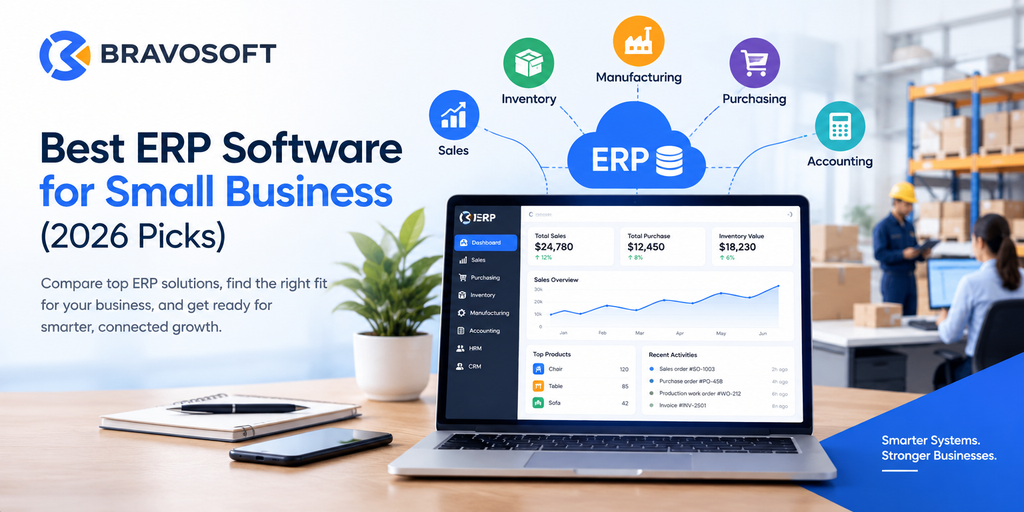
Here is how information moves through a connected system. A customer orders 200 chairs. The sales order checks available stock. If raw material is short, a purchase request goes to the supplier. When goods arrive, inventory and the supplier payable update automatically. A production work order consumes the material, and on delivery the sale and its cost post to the accounting ledger. Nobody retypes anything, and every department sees the same numbers.
Why Small Businesses Need ERP Software
Companies usually look at ERP before complexity becomes painful. The common benefits include:
- Less manual entry: one record is created once and reused across departments.
- Better financial visibility: sales, purchases and expenses flow into the books as they happen.
- Stronger inventory control: stock levels and valuation stay current across locations.
- More organized procurement: requests, orders and supplier payments follow one trail.
- Connected production and orders: work orders link to materials and customer demand.
- Faster reporting: managers pull reports instead of assembling spreadsheets.
- Room to grow: new warehouses, users or product lines fit into the same system.
These gains are not automatic. Results depend on implementation quality, clean data, well defined workflows and whether employees actually adopt the system.
Best ERP Software for Small Business in 2026
The five platforms below cover different budgets, deployment styles and business types. Each overview stands on its own, so you can jump straight to the one that interests you.
1. Odoo
Overview: Odoo is a modular business suite that covers accounting, inventory, sales, CRM, HR, projects and point of sale. Its official pricing page lists three plans: One App Free (a single app for unlimited users), Standard (all apps on Odoo Online) and Custom (adds Odoo Studio, multiple companies and external API access, with Odoo.sh or on premise hosting).
- Best for: small companies that want to start with one or two apps and add more later.
- Strengths: a wide app catalogue under one subscription, plus the option to self host on the Custom plan.
- Considerations: implementation services are not included in the subscription, and custom code needs separate maintenance. Odoo suggests that companies under 50 employees usually work directly with Odoo through Success Packs, while larger firms often use a local partner.
- Pricing model: per user, per month. At the time of research, USD list prices showed Standard from US$24.90 per user per month on annual billing, with a 12 month introductory discount, and Custom from US$37.40. Prices differ by region.
Bravosoft also offers Odoo ERP services for businesses that prefer a partner led Odoo rollout.
2. ERPNext
Overview: ERPNext is an open source ERP from Frappe. Its modules include accounting, procurement, sales, CRM, stock, manufacturing (multi level bills of material, work orders, subcontracting), projects, point of sale and quality.
- Best for: technically comfortable teams, manufacturers and traders who want to avoid per user fees.
- Strengths: no per user licence fee, a customizable low code builder and a REST API for integrations.
- Considerations: implementation takes functional and technical knowledge, and Frappe itself recommends working with a partner for larger or more complex projects. ERPNext Success Packs for small teams are available only in limited regions.
- Pricing model: the software is free and open source. On the official Frappe Cloud hosting, you pay for compute capacity rather than per user. Implementation and support are separate costs.
3. Microsoft Dynamics 365 Business Central
Overview: Business Central is Microsoft’s cloud ERP for small and midsize companies. According to the official pricing page, Essentials covers finance, sales, purchasing, inventory, supply chain planning, project and warehouse management. Premium adds manufacturing and service order management. A cheaper Team Members license gives limited access to staff who mostly read data or approve workflows.
- Best for: companies that already use Microsoft 365 and want a supported, partner delivered ERP.
- Strengths: broad finance and operations coverage and a large partner network.
- Considerations: manufacturing requires Premium, and per user costs rise as the team grows. Microsoft sells it through partners, so implementation scope and cost vary.
- Pricing model: per user, per month, billed yearly. Prices vary by country, so confirm the figure for your market with a Microsoft partner.
4. Oracle NetSuite
Overview: NetSuite is a cloud platform that, on its small business page, combines ERP and accounting, CRM, ecommerce and professional services automation.
- Best for: scaling businesses that expect to add entities, channels or modules over time.
- Strengths: a single cloud suite that spans finance, operations and customer facing functions.
- Considerations: pricing is not a simple price list, and total cost depends on edition, users and modules. A very small team with simple needs may find it more than it requires.
- Pricing model: quote based. Ask Oracle or a NetSuite partner for a written quote that separates subscription, modules and implementation.
5. BASE ERP by Bravosoft
Overview: BASE ERP is a web based ERP developed by Bravosoft Limited. According to the official product page, it connects sales, purchasing, inventory, manufacturing, accounting, HRM, supply chain, CRM and asset management in one platform.
- Best for: manufacturers, furniture makers, traders and other operations heavy businesses, especially in Bangladesh.
- Strengths: production planning and work orders, a double entry accounting system with real time reports, and multiple warehouse inventory in a single system.
- Considerations: the product page positions it most strongly for manufacturing and furniture companies, and pricing is not published, so you need to talk to Bravosoft. Timelines are set during a discovery phase.
- Pricing model: not published. Book a demo with Bravosoft for a scoped quotation.
ERP Software Comparison Table
The table summarizes the verified details above. Order is editorial, not a ranking.
| ERP Software | Best For | Key Capabilities | Pricing Approach | Main Consideration |
|---|---|---|---|---|
| Odoo | Small firms starting with a few apps | Accounting, inventory, sales, CRM, HR, projects, POS | Per user, per month; one free app plan | Implementation and custom code costs are separate |
| ERPNext | Teams wanting open source and no per user fees | Accounting, stock, procurement, manufacturing, CRM, POS | Free software; hosting priced by compute | Needs functional and technical skill or a partner |
| Business Central | Microsoft centred growing businesses | Finance, sales, purchasing, inventory, warehouse; manufacturing on Premium | Per user, per month, billed yearly; varies by country | Manufacturing needs the higher Premium plan |
| NetSuite | Scaling firms with larger budgets | ERP and accounting, CRM, ecommerce, PSA | Quote based | No simple price list; budget needs a written quote |
| BASE ERP | Manufacturers, furniture makers and traders | Production, procurement, inventory, accounting, HRM, sales, CRM | Not published; contact Bravosoft | Strongest fit is manufacturing and furniture |
A Closer Look at BASE ERP by Bravosoft
For businesses that need connected operations, the BASE ERP business management solution is worth evaluating. It is built around the idea that production, purchasing and finance should share one set of records instead of three separate files.
Based on the official product page, the relevant capabilities include:
- Manufacturing and production: production planning, work order management, and tracking of raw material consumption and output.
- Procurement and supply chain: purchase management, vendor management and supplier performance monitoring.
- Accounting: double entry accounting, automated invoicing, profit and loss, balance sheet and cash flow reports, multiple currency support and an audit trail.
- Inventory: real time stock tracking across locations, stock replenishment alerts and multiple warehouse support.
- People and customers: HRM with attendance, leave and payroll, plus CRM and asset management.
- Integration and migration: third party integrations through an open API, and data migration from existing systems including Tally.
In practice, this can reduce dependence on disconnected tools and manual reconciliation, connect information across departments, and give management more consistent numbers across procurement, manufacturing and accounting. BASE ERP is not presented as suitable for every business or every ERP function. It is aimed most clearly at manufacturing and furniture companies, and the page lists Bangladeshi clients including Hatil and Akhtar Group.
If your operation matches that profile, explore BASE ERP by Bravosoft or contact the team to book a demo and discuss scope, modules and timeline.
How to Choose the Right ERP Software for Your Small Business
Start with your own processes, not a feature list. Walk through how an order, a purchase and a production run actually move through your company today, then use this checklist:
- Business requirements: list the workflows that cause the most rework or delay.
- Accounting needs: check tax, currency and reporting requirements for your country.
- Inventory and procurement: confirm multiple locations, batch tracking and approval steps if you need them.
- Manufacturing: if you produce goods, verify bills of material, work orders and costing, and check which plan includes them.
- Integrations: list the tools that must connect, such as payment gateways, ecommerce or legacy accounting.
- Ease of use and training: a system people avoid delivers little value.
- Customization and scalability: ask what changes need code and what can be configured.
- Implementation and support: ask for a written timeline and named responsibilities.
- Data migration and security: confirm how existing data moves in and who can see what.
- Total cost of ownership: compare three to five years of cost, not just the first invoice.
To avoid paying for unnecessary complexity, split requirements into must have, useful and later. Buy for the must haves, and choose a platform that lets you add the rest when you need them.
How Much Does ERP Software Cost for a Small Business?
There is no honest universal price, because ERP cost depends on the vendor’s pricing model and the size of your project. The main cost factors are:
- Subscription or licensing fees: recurring software charges.
- Number of users: per user plans grow with headcount.
- Implementation and configuration: setting up modules, chart of accounts and workflows.
- Customization and integrations: custom fields, reports and connections to other systems.
- Data migration: cleaning and importing customers, items, balances and history.
- Training and support: onboarding staff and ongoing help.
- Hosting and maintenance: included in some plans, separate in others.
Keep subscription fees and implementation costs on separate lines. For example, Odoo’s pricing page states that implementation services and maintenance of custom code are not included in its plans, and ERPNext’s software is free while hosting and implementation are paid separately. Ask every vendor for a written quote covering software, services and support.
Cloud ERP vs. On Premise ERP for Small Businesses
Cloud ERP runs on the vendor’s or a partner’s infrastructure and is reached through a browser. It usually means faster setup, no servers to maintain, access from any location and predictable subscriptions. Trade offs include less control over upgrades and, on some plans, limits on custom code.
On premise ERP runs on servers you control. It can suit businesses with strict data residency rules, unreliable internet or heavy customization needs. The trade offs are hardware, backups, security and upgrades, which become your responsibility.
Neither model is always better. A growing company with several sites and little IT staff often favors cloud. A company with unusual compliance needs or a strong internal IT team may prefer self hosting. Some products offer both: Odoo’s Custom plan can run on Odoo Online, Odoo.sh or on premise, and ERPNext can be self hosted or run on Frappe Cloud.
Common Mistakes to Avoid When Selecting ERP Software
- Choosing on price alone: the cheapest licence can become the costliest project.
- Ignoring implementation: software does not configure itself, so budget time and expertise.
- Overlooking training: low adoption is a common reason ERP projects disappoint.
- Skipping workflow mapping: automating a confusing process only makes it faster to be confusing.
- Underestimating integration and migration: messy source data and missing connectors cause delays.
- Forgetting future needs: check how the system handles more users, warehouses or entities.
Conclusion: Choosing the Best ERP Software for Your Business
The best ERP software for a small business is the one that fits your size, workflows, budget, implementation capacity and growth plans. Define your must have processes first, compare full costs rather than headline prices, and test every shortlisted system with your own real scenarios.
If you run a manufacturing, furniture or trading operation and want production, procurement and accounting in one connected system, BASE ERP is an option to consider. You can explore BASE ERP by Bravosoft and request a demo to see whether it matches your requirements.
Frequently Asked Questions:
It depends on your workflows and budget. Odoo and ERPNext suit teams that want flexibility, Business Central suits Microsoft centred companies, NetSuite suits larger budgets, and BASE ERP suits manufacturers and traders needing connected production, procurement and accounting.
ERPNext has no per user licence fee, and Odoo offers a free single app plan. Total cost still includes hosting, implementation and support, so compare full quotes rather than licence prices alone.
It can be, when disconnected tools cause rework, stock errors or slow reporting. The value depends on good implementation, clean data and staff adoption. A business with very simple needs may not need full ERP yet.
At minimum, accounting, inventory, purchasing and sales. Add manufacturing, HR and payroll, CRM, reporting and integrations if your operations require them.
Yes, for most. It avoids server costs and allows access from any location. Businesses with strict data residency rules or heavy customization needs may still consider on premise or self hosted options.
There is no single figure. Some vendors charge per user per month, some charge for hosting, and some give quotes. Implementation, migration, training and support come on top, so request a written estimate.
Yes, many systems do. ERPNext, BASE ERP and Business Central Premium all list accounting, inventory and manufacturing capabilities. Confirm the exact manufacturing depth you need before buying.
Match each to your needs. Odoo offers a large app catalogue with per user pricing. ERPNext removes per user fees but expects more technical involvement. Run a demo with your own scenarios, compare full quotes, and check partner support in your country.