
Why Businesses Need Connected Systems
Picture a furniture manufacturer on an ordinary Monday. The sales team confirms a large order for dining sets. Inventory sits in a spreadsheet last updated on Thursday. The production planner keeps a separate schedule, and the finance team records the same order again in its own files. When the managing director asks whether the order can ship on time, someone has to call four departments and compare four versions of the truth.
This is less a software failure than a connection failure. Each team has a tool that works for its own task, but nothing shares information automatically. The result is repeated data entry, stock figures nobody fully trusts, late reports and decisions made on partial information.
An integrated Enterprise Resource Planning (ERP) system tackles this by keeping the main business functions on one platform with shared data. BASE ERP software from Bravosoft is one example, built with manufacturing and furniture businesses in mind. This guide explains what it is, what it does, how it works and when a business might consider it.
What Is BASE ERP?
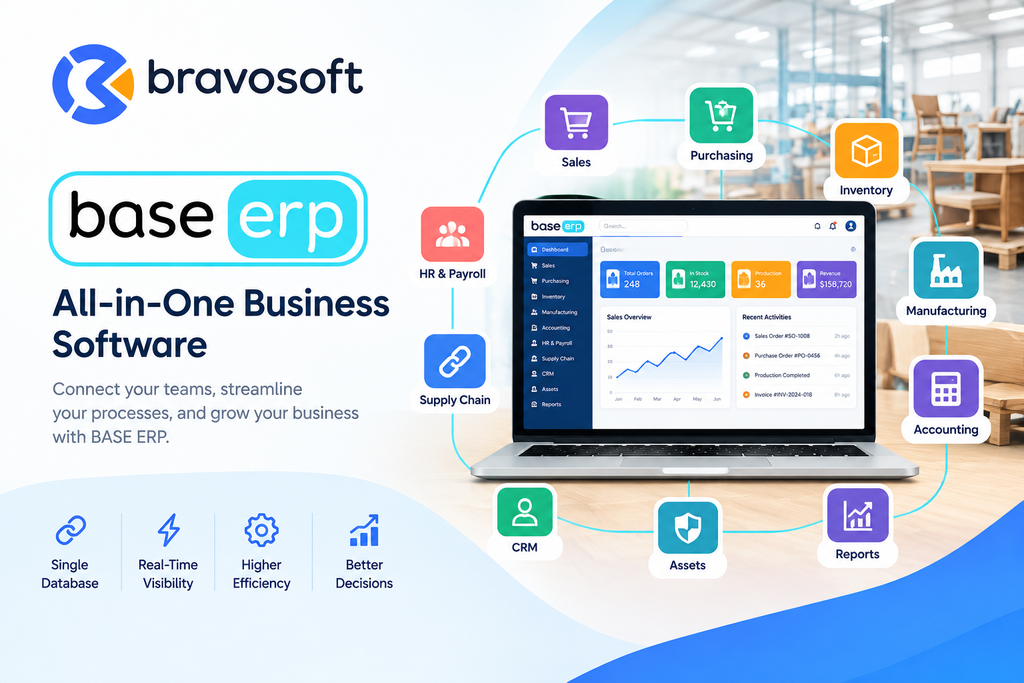
BASE ERP is a web-based Enterprise Resource Planning (ERP) software product developed by Bravosoft Limited. It connects departments such as sales, purchasing, inventory, manufacturing, accounting, HR, supply chain, CRM and asset management on one centralized platform, so every team works from the same business data.
It helps to separate the category from the product. ERP is the general term for software that integrates core business processes and passes data between them. Oracle describes ERP as a way to tie many business processes together and let data flow between them, and SAP describes it as managing finance, HR, manufacturing, procurement and sales in one integrated system. BASE ERP is Bravosoft’s specific product within that category. If you want the wider concept first, read understanding all-in-one business software.
BASE ERP is aimed at problems that appear when a business outgrows spreadsheets and separate tools: inaccurate inventory, limited production visibility, slow management reporting and finance teams that chase several departments for a clean report. Because sales, stock, production and accounting write to one shared system, the numbers a manager sees are the same numbers the warehouse and finance teams see. That is the main difference from running a collection of disconnected applications, where each tool holds its own copy of the facts.
What Does BASE ERP Do?
BASE ERP covers the main functions of a manufacturing or trading business. Each area below has its own purpose, but the real value comes from how the areas share data.
Sales and Purchase Management
When quotes, orders and supplier purchases live in separate files, nobody sees customer and supplier commitments in one place. BASE ERP manages the sales pipeline and the purchase process from quote to delivery, with pricing control and supplier performance monitoring. Sales promises and purchasing decisions then rest on the same records.
Inventory and Warehouse Management
Stock counts drift when movements are recorded by hand in several places. BASE ERP tracks stock movements across locations and warehouses, values raw materials and finished goods, and supports multi-warehouse operations with automated replenishment alerts. Teams know what they have, where it is and what it is worth.
Manufacturing and Production Management
Production planners often work without live information about material availability. BASE ERP supports production planning, work order management, output tracking and raw material consumption monitoring. The Akhtar Group case study also lists bill of materials management among the modules used. Production decisions rely on current data instead of manual updates.
Accounting and Financial Management
When finance re-keys operational transactions, the books lag behind reality. BASE ERP includes double-entry accounting in the same system as operations, so sales and purchase transactions post to the books automatically. It also offers invoicing, multi-currency support, an audit trail and profit and loss, balance sheet and cash flow reports. The practical gain is less reconciliation work and a faster view of financial position.
HRM and Payroll
Manual attendance, leave and salary processing is slow and easy to get wrong. BASE ERP holds employee records and departments, tracks attendance and leave, processes payroll automatically and includes performance management tools. Role-based access keeps HR data limited to the right people.
Supply Chain and Procurement Management
Buyers, warehouse staff and production planners rarely see the same demand picture. BASE ERP supports procurement, vendor management and logistics, so purchasing connects to inventory and production. Both published case studies describe more standardized procurement workflows and better coordination between purchasing, inventory and production teams.
CRM and Customer Management
Customer conversations that stay in individual inboxes are invisible to operations. The CRM in BASE ERP tracks leads and customer interactions and works in sync with sales and operations teams, so customer-facing staff and the rest of the business share the same information.
Asset Management
As companies grow, equipment and other assets become harder to track. BASE ERP follows assets through their lifecycle, showing what the company owns, where it is, what it is worth and when it needs maintenance. That supports maintenance planning and cleaner asset records.
Business Reporting and Analytics
Management reports built by merging exports from several tools are slow and prone to error. BASE ERP provides dashboards and analytical reports across operations, inventory, procurement, finance and performance. Managers can see where the business stands without waiting for each department to compile its own figures.
How Does BASE ERP Work?
BASE ERP works by keeping every department on one shared database. An action in one area becomes visible to the others without anyone re-entering it. The manufacturing example below shows how a single customer order can move through connected functions:
- Customer order: The sales team records the order in the system.
- Sales processing: Quotation, pricing and order confirmation are handled in the sales module.
- Material availability check: Inventory data shows whether the required raw materials are in stock and in which warehouse.
- Procurement, if required: If materials are short, the need can be raised as a purchase requirement and followed through the supplier process.
- Production planning: Work orders are planned against the materials that are available or on order.
- Manufacturing: Output and raw material consumption are tracked as production runs.
- Inventory update: Finished goods and consumed materials are reflected in stock records.
- Delivery: The order is dispatched from the warehouse against the same sales record.
- Accounting and financial reporting: The transaction posts to the books and feeds management reports.
The sequence matters less than the shared data behind it. Procurement sees what production needs, finance sees what sales delivered, and management sees all of it on dashboards. The exact workflow varies from one company to another. In the Akhtar Group case study, implementation began with business process discovery and department-wise workflow mapping before modules were configured.
What Business Problems Can BASE ERP Help Solve?
Software cannot fix every operational problem, and process discipline still matters. Within that limit, an integrated platform addresses several common pain points:
- Disconnected spreadsheets and software: one centralized platform replaces separate files for each department.
- Inaccurate inventory records: real-time stock tracking across locations and warehouses.
- Limited production visibility: production planning, work orders and material consumption tracking.
- Delayed management reporting: dashboards and reports drawn from live data.
- Manual data reconciliation: transactions post to accounting automatically, which reduces re-entry.
- Procurement and supplier coordination: procurement and vendor management linked to inventory and production.
- Difficulty monitoring several departments: a shared view across sales, stock, production, finance and HR.
- No central source of operational information: one database that every module reads from and writes to.
Who Can Benefit from BASE ERP?
Bravosoft positions BASE ERP with particular relevance to manufacturing and furniture companies. These businesses buy raw materials, plan production, hold stock in warehouses, sell through several channels and need finance to follow all of it. When those functions are separate, a late supplier delivery or a wrong stock count quickly becomes a production delay. Connecting production, procurement, inventory, warehouse, sales and finance gives them one shared picture.
The Sencillo case study shows this in a furniture manufacturing and retail setting, where manufacturing, raw materials and finished goods across warehouses and showrooms had to be coordinated. The BASE ERP implementation at Akhtar Group shows a larger industrial group with several business units, factories and warehouses.
The product page also lists other verticals, including retail, trading, garments and import and export. Multi-department and multi-location organizations in any of these sectors can benefit when several teams need the same information at the same time. Bravosoft’s software products page gives an overview of the wider portfolio.
BASE ERP vs Disconnected Business Software
Standalone tools are not inherently poor. A single accounting package works well for a very small business with simple needs. The differences appear as departments, transactions and locations multiply.
| Area | Integrated ERP such as BASE ERP | Separate, disconnected tools |
|---|---|---|
| Data management | One shared database for all modules | Each tool keeps its own records |
| Inventory tracking | Stock movements recorded in one system across locations | Counts maintained separately and compared manually |
| Departmental coordination | Teams see the same live information | Information passes by email, calls or exports |
| Production visibility | Production plans linked to materials and stock | Plans often kept apart from inventory data |
| Financial reporting | Operational transactions feed the accounts directly | Figures are often re-entered or reconciled |
| Manual data entry | Entered once and reused across modules | Often repeated in several tools |
| Management decisions | Dashboards draw on current, combined data | Reports assembled from several sources first |
When Should a Business Consider Implementing ERP Software?
Company size alone is not the test. The question is whether current tools still match how the business operates. These signs suggest it may be time to look at an ERP system:
- Spreadsheets are becoming hard to manage as operations grow.
- Inventory discrepancies are increasing.
- Production and procurement teams lack coordination.
- Management cannot get accurate reports quickly.
- Departments maintain separate versions of the same information.
- Business expansion is adding operational complexity.
Not every business needs ERP software. A very small company with simple processes may be well served by lighter tools, and ERP adds value only when the integration it provides solves a problem the business actually has. A clear list of requirements should come before any software decision. Microsoft also frames ERP around coordinating the flow of data between business processes, which is the problem to test against your own operations.
Why Consider Bravosoft’s BASE ERP?
BASE ERP is a practical example of an integrated business management solution. Several features are worth weighing against your own requirements:
- Centralized platform: sales, inventory, manufacturing, accounting, HRM, supply chain, CRM and asset management share one data set.
- Web-based access: per the product page, teams use it through a browser on any device without installing software or managing local servers, which suits multi-location teams.
- Industry relevance: it is built with manufacturing and furniture businesses in mind and is also used across other sectors.
- Migration and integration: the product page says it can migrate data from legacy platforms and tools such as Tally and supports third-party integrations through an open API.
- Operational visibility: dashboards and reports support management control across departments.
The published case studies show how this works in practice. Akhtar Group, a diversified industrial group, used BASE ERP to connect manufacturing, procurement, inventory, warehouse, finance and sales. Sencillo, a furniture manufacturer and retailer, used it to centralize manufacturing, inventory and sales. These are descriptions of real implementation contexts, not guarantees of results for every company.
Implementation time depends on business size and the modules required, and Bravosoft states that the timeline is defined in the discovery phase. To review the full module list, visit the official page for Bravosoft’s enterprise resource planning platform.
Frequently Asked Questions
BASE ERP is a web-based Enterprise Resource Planning system developed by Bravosoft Limited. It connects sales, purchasing, inventory, manufacturing, accounting, HRM, supply chain, CRM and asset management on one platform.
ERP is the general category of software that integrates core business processes around shared data. BASE ERP is one specific ERP product, developed by Bravosoft, with particular relevance to manufacturing and furniture businesses.
It links production planning, work orders, raw material consumption, inventory, procurement and accounting. Production teams, buyers and finance staff work from the same data instead of separate records.
Yes. Inventory and manufacturing are modules of the same platform, so stock levels, material requirements and production activity are recorded in one system. Multi-warehouse inventory tracking is supported.
Yes. BASE ERP is web-based and is accessed through a browser on any device, without installing software or managing local servers
It is built with manufacturing and furniture businesses in mind. Bravosoft’s product page also lists retail, trading, garments, construction, healthcare, education, logistics, import and export, corporate and NGO organizations.
ERP software keeps data from different departments in one system, so reports and dashboards draw on the same current records. Managers can see sales, stock, production and finance together instead of waiting for separate reports.
Consider ERP when spreadsheets and separate tools cause inventory errors, weak coordination between departments, slow reporting or repeated data entry. The decision should follow operational needs rather than company size alone
Bringing Business Operations Together with BASE ERP
Integrated business management matters because decisions are only as good as the information behind them. When sales, inventory, production, procurement and finance share connected data, departments coordinate more easily, management sees the business as it is and planning rests on current records.
BASE ERP is one way to achieve that, particularly for manufacturing and furniture businesses. If you are weighing an ERP system, start by listing your own operational problems, then review BASE ERP to see how its modules map to them. You can also request a demo through the official page to discuss your requirements with the Bravosoft team.