
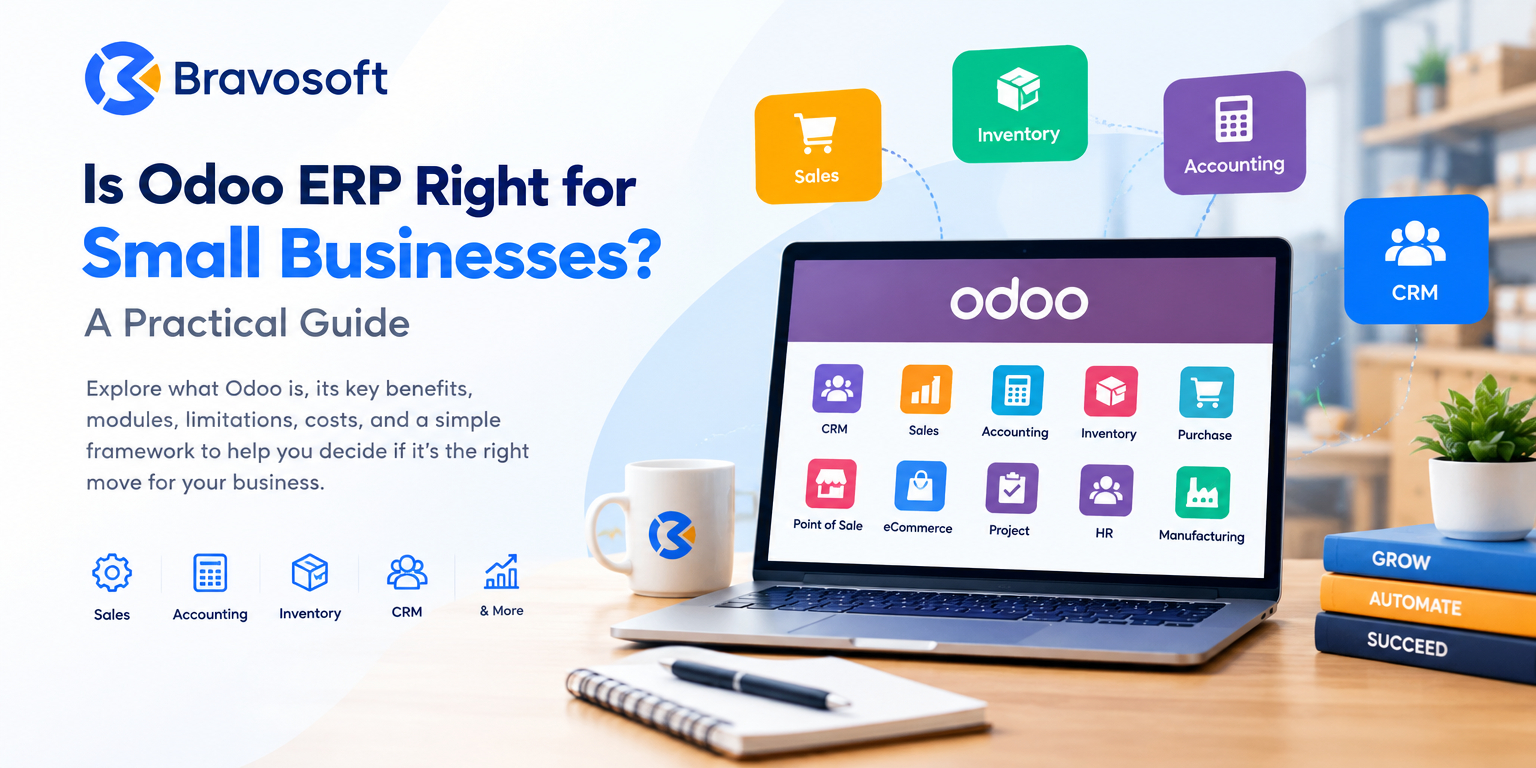
Odoo is a modular, open source business management platform that brings functions such as sales, accounting, inventory, and CRM into one connected system. For a small business, the short answer to whether Odoo ERP is the right choice depends on how complex your operations are, how many disconnected tools you are currently managing, and how much time and budget you can put into a proper implementation.
Odoo tends to work well for small businesses that have outgrown spreadsheets and separate software for sales, inventory, and accounting, and that need one system to keep everything connected. It is less necessary for a very early stage business with simple operations and very few transactions.
This guide walks through what Odoo ERP actually is, the benefits and modules that matter most to small businesses, the real limitations you should plan for, what it costs, and a practical framework to help you decide whether Odoo is the right move for your business right now.
What Is Odoo ERP?
Odoo is an open source enterprise resource planning (ERP) platform built around a set of business applications that share one underlying database. Instead of running separate software for sales, accounting, inventory, and HR, a business using Odoo can operate these functions from a single connected system, with data flowing automatically between departments.
Odoo is organized into individual apps, or modules, such as CRM, Sales, Accounting, Inventory, Purchase, Point of Sale, and Manufacturing. A business does not need to install every module at once. It can start with the two or three it actually needs, such as Sales and Inventory, and add more modules like Accounting or Manufacturing as requirements grow.
Odoo is available in two main editions: Odoo Community, which is free and open source, and Odoo Enterprise, which is a paid subscription with additional modules, official support, and managed hosting options. Choosing between the two is one of the first practical decisions a small business has to make, and it is covered in more detail later in this guide.
Is Odoo ERP Right for Small Businesses?
There is no single answer that applies to every small business. Odoo can be a genuinely good fit for many small businesses, but whether it is right for yours depends on a combination of factors rather than company size alone.
Suitability typically comes down to:
- Business complexity: how many workflows, departments, and approval steps your operations already involve
- Number of users: how many people will need daily access to the system
- Required modules: whether you need just sales and invoicing, or a fuller stack that includes inventory, manufacturing, or HR
- Growth plans: whether you expect to add locations, staff, or sales channels in the next few years
- Budget: what you can realistically spend on licensing, implementation, and ongoing support
- Implementation needs: whether you have in-house technical capacity or will need an experienced implementation partner
As a general pattern, Odoo tends to work well once a small business has outgrown spreadsheets and disconnected tools and needs better visibility across sales, inventory, and finance. It is less necessary for a very early stage business with minimal transaction volume, a handful of customers, and no cross-department workflows to manage yet.
Why Small Businesses Consider Odoo ERP
Most small businesses do not set out looking for an ERP system. They start looking because their current setup, usually a mix of spreadsheets, a basic accounting tool, and a separate CRM or POS system, has become difficult to manage. Odoo is often considered because it addresses several of these pain points at once.
- Centralized business data: sales, inventory, and accounting information all live in one system instead of being scattered across tools
- Connected sales and accounting: quotes, orders, invoices, and payments flow through one process rather than being re-entered manually
- Inventory visibility: stock levels update automatically as sales and purchases happen, reducing stockouts and overstocking
- Built-in CRM: leads, opportunities, and customer communication are tracked in one pipeline
- Automation: repetitive tasks such as invoice generation, reorder points, and approval routing can run with less manual effort
- Centralized reporting: management can view sales, inventory, and financial data without pulling numbers from multiple systems
- Modular adoption: businesses can start with a small set of apps and expand as needs grow
- Scalability: the same platform can support more users, more locations, or more complex workflows over time
- Fewer disconnected tools: less time spent reconciling data between separate software subscriptions
Odoo Features That Can Be Useful for Small Businesses
Odoo offers a wide range of modules, but a small business rarely needs all of them at once. Below are the modules that most commonly matter for small and growing businesses. Which ones apply to you depends entirely on your operations, not on how many a competitor or another business happens to use.
- CRM: tracks leads, opportunities, and follow-ups so sales activity is not managed through spreadsheets or memory
- Sales: manages quotations, sales orders, and pricing, and connects directly to inventory and invoicing
- Accounting and Invoicing: handles invoices, bills, bank reconciliation, and financial reporting
- Inventory: tracks stock levels, warehouse locations, and stock movements in real time
- Purchase: manages vendor orders, purchase agreements, and reordering
- Point of Sale: useful for retail or in-person sales, with inventory and accounting updating automatically
- eCommerce: connects an online store directly to inventory, sales, and accounting data
- Project Management: useful for service-based businesses managing tasks, timelines, and billable work
- HR: covers employee records, time off, attendance, and payroll-related processes
- Manufacturing: supports bills of materials, work orders, and production planning for businesses that make products
A small retail business, for example, may only need Sales, Inventory, Point of Sale, and Accounting to start. A service business may need CRM, Project Management, and Invoicing instead. Trying to activate every available module before you have a clear need is one of the more common reasons Odoo implementations become more complicated than they should be.
Key Benefits of Odoo for Small Businesses
The practical value of Odoo shows up less in individual features and more in how daily operations change once systems are connected.
- Less duplicate data entry: an order placed in Sales does not need to be re-entered into an accounting tool or a separate inventory spreadsheet
- Faster, better-informed decisions: owners and managers can see current sales, stock, and cash position without waiting on someone to compile a report
- Easier scaling: new users, locations, or modules can often be added without switching to an entirely new system
- More consistent customer experience: sales, support, and invoicing history are visible in one place rather than split across tools
- Lower long-term software sprawl: one platform can replace several disconnected subscriptions over time
- Simpler onboarding: new employees learn one system instead of several unrelated tools
Potential Challenges or Limitations of Odoo for Small Businesses
Odoo is a capable platform, but it is not a plug-and-play solution, and it is not the right fit for every business in every situation. A fair evaluation has to include the real challenges small businesses run into.
- Implementation complexity: Odoo needs to be configured around your actual workflows. It is not something you simply switch on
- Configuration requirements: default settings rarely match every business process out of the box
- Customization needs: many small businesses eventually need custom fields, reports, or workflow adjustments beyond default views
- Training and user adoption: staff need to learn new processes, and adoption can be uneven without proper training
- Recurring costs: Enterprise involves an ongoing per-user subscription, while Community involves ongoing hosting and maintenance effort
- Migration requirements: moving data from spreadsheets or a legacy system takes planning and cleanup
- Integration requirements: connecting Odoo to existing tools such as payment gateways or a specific eCommerce platform may require additional configuration or development
- Over-implementation: trying to configure every module and feature at once, instead of starting with core needs, often slows adoption
- Choosing too many modules too early: activating apps a business does not yet need adds complexity without adding value
- Process planning: without clear process mapping beforehand, Odoo can end up automating an inefficient workflow rather than improving it
None of these challenges make Odoo a poor choice by default. They are the reason implementation planning matters as much as the software itself.
Odoo Community vs Odoo Enterprise for Small Businesses
Odoo Community is the free, open source edition, licensed under LGPL. It includes core modules for sales, CRM, inventory, purchasing, and basic accounting, and it can be downloaded and self-hosted at no license cost. The trade-off is that a business is responsible for hosting, maintenance, and any customization work, and it does not include official Odoo support.
Odoo Enterprise is a paid, subscription-based edition, billed per user per month. It includes everything in Community plus additional modules and capabilities, such as Odoo Studio for no-code customization, more advanced accounting and manufacturing features, mobile apps, multi-company support, and official Odoo support. Enterprise can be hosted on Odoo Online, on Odoo.sh, or on-premise.
| Factor | Odoo Community | Odoo Enterprise |
|---|---|---|
| Cost | Free to download and use (LGPL license) | Paid, per-user, per-month subscription |
| Modules | Core sales, CRM, inventory, purchase, basic accounting | All Community modules plus advanced accounting, manufacturing, HR, and more |
| Customization | Requires developer work for deeper changes | Includes Odoo Studio for no-code customization |
| Support | Community forums or a third-party partner | Official Odoo support included |
| Hosting | Self-hosted, or via a partner | Odoo Online, Odoo.sh, or on-premise |
| Best suited for | Technically capable teams or simple, budget-limited setups | Businesses that want official support and broader functionality |
Which edition is appropriate depends on the functionality you need, your hosting preference, your support requirements, and your budget, not on business size alone. Some small businesses run comfortably on Community for years. Others move to Enterprise quickly because they need official support or specific modules from day one. Current plan details and pricing should always be confirmed on Odoo’s official pricing page, since pricing and plan inclusions are updated periodically.
How Much Does Odoo Cost for a Small Business?
There is no single accurate number for what Odoo costs, because total cost depends heavily on scope. Instead of a flat figure, it helps to understand the cost components separately.
- Subscription or license cost: Odoo Community has no license fee. Odoo Enterprise is billed per user per month, with pricing that varies by plan and by region
- Implementation: project management, requirements gathering, and initial setup of the modules you need
- Configuration: adapting settings, workflows, and approval steps to match how your business actually operates
- Customization: custom fields, reports, or module development beyond what standard Odoo provides
- Data migration: moving existing records from spreadsheets or a legacy system into Odoo
- Integrations: connecting Odoo to tools you already use, such as an eCommerce platform or a payment gateway
- Training: getting your team comfortable using the system correctly from day one
- Ongoing support: help with issues, updates, and adjustments after go-live
- Hosting or infrastructure: relevant mainly if you choose Odoo.sh or self-hosting rather than Odoo Online
As of September 2026, Odoo’s official pricing page lists a Standard plan and a Custom plan (the latter required for on-premise hosting, Odoo Studio, multi-company setups, and external API access), both billed per user per month, with a lower promotional rate for the first year and a higher renewal rate afterward. A free plan covering a single app for unlimited users is also available. Because pricing varies by region, currency, and promotion, and because Odoo updates its plans periodically, it is best to confirm current figures directly on the pricing page before budgeting rather than relying on a fixed number from any article, including this one.
For a small business, a lean implementation covering one or two core modules will cost meaningfully less than a multi-module deployment with custom development, data migration from a legacy ERP, and several third-party integrations. Getting an accurate estimate for your specific situation usually means having a scoping conversation with an Odoo implementation partner, or using the project estimator tools Odoo makes available for smaller companies.
When Odoo May Be a Good Fit for a Small Business
Odoo tends to make practical sense when a small business is in situations such as:
- The business is outgrowing spreadsheets for tracking sales, inventory, or finances
- Multiple departments are using disconnected software that does not share data
- Inventory and sales need to stay in sync, particularly for retail, distribution, or eCommerce
- Management needs centralized reporting instead of pulling numbers from several tools
- The business expects meaningful growth in staff, locations, or sales channels
- Manual, repetitive tasks are becoming a bottleneck and automation would save real time
- Multiple workflows, such as quote to cash or purchase to pay, need to run from one connected system
When a Small Business May Not Need Odoo Yet
Odoo is not automatically the right step for every small business, and that is not a criticism of the platform. Some businesses are simply not at the stage where an ERP system adds enough value to justify the implementation effort.
- Operations are extremely simple, such as a single owner handling a handful of clients
- Very few people, often one to three, need to use business software day to day
- There is minimal or no physical inventory to track
- Transaction volume is very low, making manual tracking still manageable
- There is no real need to connect workflows across departments yet
- The business is still validating its core operating model and may pivot before software matters
In these cases, a lighter tool, or even a well-organized spreadsheet, may be perfectly adequate for now. Odoo can become a sensible option later, once the business has grown to the point where disconnected tools start creating real friction.
| Odoo Can Be a Good Fit When | A Simpler Solution May Be Better When |
|---|---|
| Multiple departments need shared, real-time data | One or two people handle all operations |
| Inventory and sales must stay connected | There is little or no inventory to manage |
| Reporting needs to be centralized across the business | Basic spreadsheets still give an accurate picture |
| The business expects to grow in users or locations | The business is still validating its model |
| Manual work is becoming a real bottleneck | Transaction volume is low and manageable by hand |
How to Decide If Odoo Is Right for Your Small Business
Rather than relying on general advice, it helps to work through the same questions an implementation partner would ask before recommending Odoo, or any ERP, to a client.
- How many people need daily access to the system, now and in the next year?
- How complex are your current workflows, and how many departments are involved?
- Which specific modules do you actually need on day one, versus later?
- What software are you currently using, and does any of it need to be kept or integrated?
- Do you have data that needs to be migrated cleanly from spreadsheets or another system?
- Do you need custom fields, reports, or workflows beyond Odoo’s defaults?
- Do you have in-house technical capability, or will you rely on an implementation partner?
- What is your realistic budget for licensing, implementation, and ongoing support?
- What are your growth plans for the next two to three years?
Answering these questions honestly, ideally before speaking with any vendor or partner, gives you a much clearer picture of whether Odoo fits your business than a generic recommendation ever could.
How an Odoo Implementation Partner Can Help
Because Odoo’s flexibility is also what makes it complex to configure correctly, most small businesses benefit from working with an experienced implementation partner rather than attempting a full setup alone. A structured implementation typically includes:
- Business process analysis: understanding how your business actually operates before touching any configuration
- Requirements gathering: identifying exactly which modules and workflows your business needs
- Module selection: recommending a realistic starting scope instead of activating everything at once
- Configuration: setting up Odoo to match your workflows rather than forcing your workflows to match Odoo’s defaults
- Customization: building custom fields, reports, or modules where standard functionality falls short
- Integrations: connecting Odoo to your existing tools, such as an online store or payment provider
- Data migration: moving your existing records into Odoo cleanly and accurately
- Testing: validating workflows in a staging environment before anything goes live
- Training: making sure your team is confident using the system from day one
- Go-live and post-launch support: managing the transition and staying available as issues or new needs come up
Bravosoft works with small and growing businesses on exactly this process, providing Odoo ERP implementation and customization services that cover consulting, configuration, custom module development, integrations, data migration, training, and ongoing support across both Odoo Community and Enterprise. The goal in every engagement is the same: help a business implement only what it actually needs, configured around how it really works, rather than an oversized or generic setup.
If you are still weighing your options, it is usually more useful to schedule a consultation to walk through your specific requirements than to guess based on general advice alone.
Final Conclusion
Odoo ERP can be a practical, cost-effective option for many small businesses, particularly those that have outgrown spreadsheets and disconnected software and need sales, inventory, and accounting to work together in one system. Its modular structure means a business does not have to adopt everything at once, and both the Community and Enterprise editions give small businesses a realistic entry point at different budget levels.
At the same time, Odoo is not automatically the right choice for every business, and it is not a plug-and-play product. The right decision depends on your operational complexity, the modules you genuinely need, your budget for implementation and ongoing support, and your growth plans over the next few years. A clear-eyed evaluation, ideally supported by proper process planning and an experienced implementation partner where needed, is what actually determines whether Odoo is right for your business, not the software alone.
Frequently Asked Questions
Yes, for many small businesses Odoo is a suitable option, particularly once operations have outgrown spreadsheets and separate tools for sales, inventory, and accounting. Suitability depends on your specific workflows, required modules, and budget rather than business size alone.
Odoo can feel complex if too many modules are activated at once without proper planning. Starting with a small, focused set of modules and expanding gradually, ideally with guided configuration, keeps complexity manageable for most small businesses.
Key benefits include centralized business data, connected sales and accounting, real-time inventory visibility, built-in CRM, workflow automation, and the ability to scale the same system as the business grows, instead of managing several disconnected tools.
Cost depends on the edition chosen and the scope of implementation. Odoo Community has no license fee but requires hosting and maintenance effort. Odoo Enterprise is billed per user per month, with pricing that varies by region and plan. Implementation, customization, migration, integrations, and training are separate cost components. Check Odoo’s official pricing page for current figures.
Odoo’s interface is generally considered user-friendly and modern compared to many traditional ERP systems. Ease of use in practice depends more on how well the system is configured for your specific workflows and how well your team is trained than on the software’s design alone.
It depends on your required functionality, support needs, hosting preference, and budget. Community works for businesses with simple needs and in-house technical capability. Enterprise suits businesses that want official support, broader functionality, and less DIY maintenance.
Yes. Odoo’s modular structure allows businesses to add users, modules, and locations over time without switching platforms, which is one of the reasons it is often considered for businesses with growth plans rather than only current needs.
This varies by business. A retail business often starts with Sales, Inventory, Point of Sale, and Accounting. A service business may prioritize CRM, Project Management, and Invoicing instead. The right starting modules depend on your core workflows, not a fixed template.