
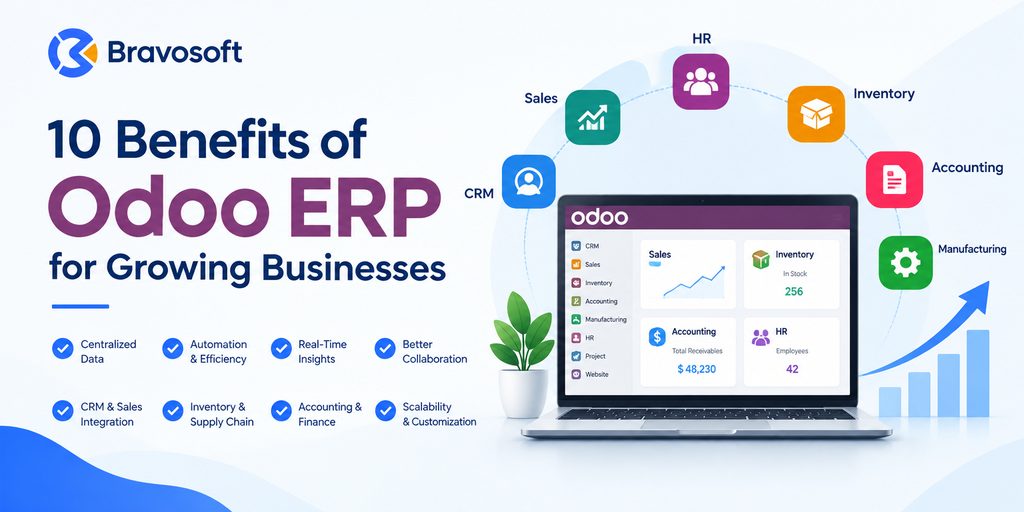
At some point, almost every growing company hits the same wall. Sales are up, the team is bigger, and the business is busier than ever, but the software behind it all has not kept pace. Orders live in one system, inventory counts in another, invoices get typed into a spreadsheet, and nobody is fully sure which numbers are current. None of this shows up on day one. It shows up later, quietly, as duplicate data entry, mismatched stock counts, delayed invoices, and a management team making decisions based on information that is already out of date.
This is usually the point where business owners start researching enterprise resource planning (ERP) systems, and Odoo comes up often for good reason. Odoo is an integrated business management platform that brings sales, inventory, accounting, manufacturing, HR, and other core functions into one connected system instead of a patchwork of disconnected tools.
This article walks through 10 benefits of Odoo ERP for growing businesses, explains what Odoo actually is, which types of businesses tend to benefit most, what to consider before implementing it, and where professional implementation and customization support becomes useful.
What Are the Benefits of Odoo ERP?
The main benefits of Odoo ERP include centralized business data, improved operational efficiency, workflow automation, real-time reporting, integrated CRM and sales tools, better inventory and supply chain visibility, streamlined accounting, scalability, deep customization, and stronger cross-department collaboration. Together, these benefits help growing businesses replace disconnected software with one unified, reliable system.
What Is Odoo ERP?
Odoo is an open-source business management software suite made up of individually installable applications, commonly called Odoo modules, that cover functions such as CRM, sales, inventory, purchasing, manufacturing, accounting, human resources, project management, and website or eCommerce management.
Each Odoo module can technically be used on its own, but the real value of Odoo as an ERP system comes from installing several modules together. Because the modules share the same underlying data model, information entered in one app (a sales order, for example) automatically flows into related apps like inventory and accounting, without being re-entered manually.
Odoo is available in two main editions:
- Odoo Community: a free, open-source version with core business applications, released under the LGPL license.
- Odoo Enterprise: a paid, subscription-based version that adds advanced functionality, official support from Odoo, and additional modules on top of the Community base.
Businesses choose between the two editions based on the modules they need, budget, and whether they require official Odoo support. You can review Odoo’s own overview of its applications on the official Odoo website and in the Odoo documentation.
10 Benefits of Odoo ERP for Growing Businesses
The list below covers the 10 benefits of Odoo ERP that matter most once a business has outgrown spreadsheets and disconnected point solutions. Each one addresses a specific operational problem that tends to appear as a company scales.
1. Centralized Business Data
The business problem: as companies grow, data tends to spread across separate tools, a CRM for sales, a spreadsheet for inventory, separate software for accounting, and none of it talks to the others. Teams end up maintaining the same customer or product information in multiple places, and those records drift out of sync over time.
How Odoo helps: because Odoo’s applications share one underlying database, a customer record, product, or transaction exists once and is referenced everywhere it is needed. When a sales order is created, the same record is visible to inventory, accounting, and fulfillment without anyone re-typing it.
Practical impact: a growing distribution company, for example, no longer needs its sales team checking one system for stock levels and its finance team checking another for outstanding invoices. Everyone works from the same centralized business management system, which reduces errors and the time spent reconciling conflicting records.
2. Improved Operational Efficiency
The business problem: manual, repetitive work, re-entering order details, manually creating invoices, cross-checking stock in two places, quietly consumes staff time as transaction volume grows. What was manageable at a small scale becomes a real drag on productivity once order volumes increase.
How Odoo helps: because processes are connected end to end (quote to order, order to delivery, delivery to invoice), fewer manual handoffs are needed between departments. Staff spend less time on administrative data entry and more time on tasks that require judgment.
Practical impact: an operations manager overseeing order fulfillment can see the full order lifecycle in one place instead of chasing updates by email or spreadsheet, which shortens the time between an order being placed and being fulfilled.
3. Workflow Automation
The business problem: routine, rules-based tasks (sending a purchase order when stock runs low, generating an invoice after delivery, routing an approval request) often depend on someone remembering to do them manually, which introduces delay and human error.
How Odoo helps: Odoo supports automation for many recurring tasks, including automated reordering rules in inventory, scheduled and recurring invoicing, and configurable approval workflows for purchases, expenses, or leave requests. Business process automation like this removes the dependency on manual follow-up for tasks that follow a predictable pattern.
Practical impact: a growing retailer can configure automatic replenishment so that stock is reordered once it drops below a set threshold, rather than relying on a warehouse team member to notice and act on it.
4. Better Real-Time Visibility and Reporting
The business problem: when data lives in disconnected systems, generating an accurate report often means manually pulling numbers from multiple sources and reconciling them, by which point the information may already be outdated.
How Odoo helps: because transactions are recorded directly in the system as they happen, dashboards and reports reflect current data rather than a snapshot from the last manual export. Odoo includes built-in reporting and dashboard tools across its applications, giving managers real-time business data on sales, inventory, and financial performance.
Practical impact: a finance manager can check current cash flow or outstanding receivables without waiting for someone to compile a report, and a sales manager can see which products are moving without requesting an ad hoc spreadsheet from another department.
5. Integrated CRM and Sales Management
The business problem: sales teams often track leads and opportunities in a separate CRM tool that is disconnected from order processing, inventory, and invoicing, which means a closed deal has to be manually re-entered elsewhere to actually be fulfilled and billed.
How Odoo helps: Odoo CRM tracks leads, opportunities, and the sales pipeline, and connects directly to the Sales, Inventory, and Invoicing apps. A quotation can be converted into a confirmed sales order, which then triggers inventory and accounting processes automatically, without duplicate data entry.
Practical impact: a growing B2B company can move a deal from initial contact through quotation, order confirmation, delivery, and invoicing inside one connected workflow, giving sales, operations, and finance the same up-to-date view of every deal.
6. Better Inventory and Supply Chain Management
The business problem: as product ranges, warehouses, or sales channels multiply, tracking stock accurately with spreadsheets or basic tools becomes unreliable, leading to stockouts, overstocking, or fulfillment delays.
How Odoo helps: Odoo inventory management supports multiple warehouses and locations, real-time stock tracking, automated reordering rules, and barcode scanning for warehouse operations. It connects directly to purchasing, sales, and manufacturing, so stock levels update automatically as transactions occur.
Practical impact: a company operating more than one warehouse can see accurate stock levels across every location, route orders to the most appropriate warehouse, and avoid promising stock to a customer that has already been allocated elsewhere.
7. Streamlined Accounting and Financial Processes
The business problem: keeping accounting software separate from sales and inventory systems means finance teams frequently have to reconcile numbers manually, and closing the books each month can take considerably longer than it should.
How Odoo helps: Odoo accounting is built into the same platform as sales, purchasing, and inventory, so invoices, vendor bills, and payments are generated directly from operational transactions rather than being re-created by the finance team. Odoo also supports bank reconciliation, expense management, and financial reporting within the same system.
Practical impact: a growing company can close its books faster because revenue and cost data is already accurate and centralized, reducing the manual reconciliation work finance teams typically face at month end.
8. Scalability as the Business Grows
The business problem: software chosen for a five-person team often cannot support the same company at 50 or 150 employees, forcing a disruptive migration to new systems right as the business is trying to scale.
How Odoo helps: Odoo scalability comes from its modular structure. Businesses can start with a small set of core modules and add more applications, users, or even additional company entities as operations expand, without needing to replace the underlying platform. Odoo also supports multi-company, multi-currency, and multi-language setups for businesses expanding into new markets or opening additional locations.
Practical impact: a company that starts with just sales, inventory, and accounting can later add manufacturing or HR modules as those needs emerge, rather than researching and migrating to an entirely new ERP system.
9. Customization and Integration Flexibility
The business problem: many off-the-shelf business tools force a company to change how it operates to fit the software, rather than the other way around, and rarely integrate cleanly with the other systems a business already relies on.
How Odoo helps: Odoo customization allows businesses to configure workflows, approval rules, and reports around how they actually operate, and to develop custom modules when standard functionality does not fully cover a specific requirement. Odoo integration with third-party tools, such as eCommerce platforms, payment gateways, or logistics providers, allows it to work alongside a company’s existing technology rather than replacing all of it at once.
Practical impact: a manufacturer with a non-standard production process is not forced into a generic workflow. The relevant modules can be configured, and where needed, custom-built, to match how production actually runs on the shop floor.
10. Better Collaboration and Decision-Making
The business problem: when departments work from separate systems, information does not flow between them naturally. Sales may not know current stock levels, finance may not see operational activity in real time, and decisions end up based on outdated or incomplete information.
How Odoo helps: because every department works inside the same centralized business management platform, information generated in one area is immediately visible to others that need it. This supports better cross-team collaboration and gives leadership a single, consistent source of data to base decisions on.
Practical impact: a management team reviewing monthly performance can rely on the same figures that sales, finance, and operations are already using day to day, rather than reconciling three different versions of the same numbers before a decision can even be discussed.
Which Businesses Can Benefit From Odoo ERP?
Odoo is used across a wide range of industries, but it tends to deliver the most value for businesses that have outgrown basic tools and are managing increasingly complex operations across multiple departments. This includes:
- Manufacturing: companies that need production planning, bills of materials, work orders, and quality or maintenance tracking connected to inventory and purchasing.
- Retail: businesses managing point of sale, inventory, and customer data across one or more physical or online storefronts.
- Trading and distribution: companies handling purchasing, multi-warehouse inventory, and order fulfillment at volume.
- E-commerce: businesses that need their online storefront connected directly to inventory, sales, and accounting instead of managed separately.
- Service businesses: companies that rely on project management, timesheets, and invoicing tied to billable work.
- Multi-department organizations: businesses where sales, finance, operations, and HR all need to work from consistent, shared data.
- Growing companies with multiple locations: businesses expanding into new sites, warehouses, or markets that need consolidated visibility across all of them.
Odoo is not automatically the right fit for every business. A very small company with simple, low-volume operations may not yet need a full ERP system, and businesses with highly specialized, industry-specific requirements should evaluate carefully whether Odoo’s modules and customization options can genuinely meet those needs before committing to an implementation.
What Should You Consider Before Implementing Odoo ERP?
An ERP implementation is a significant undertaking, and the businesses that get the most value from Odoo are typically the ones that plan carefully before configuration begins. Key considerations include:
- Business requirements: a clear picture of the problems you are trying to solve and the processes the system needs to support.
- Required modules: which Odoo apps are actually needed now, versus which can be added later as the business grows.
- Existing systems and data: what current software and data sources need to connect to or be replaced by Odoo.
- Data migration: how existing records, contacts, and historical transactions will be moved into Odoo accurately.
- Customization requirements: where standard Odoo modules cover your processes, and where custom development may be needed.
- Third-party integrations: which existing tools, such as eCommerce platforms or payment gateways, need to connect to Odoo.
- User training: how your team will be trained so that adoption does not stall after go-live.
- Implementation planning: a realistic, phased rollout plan that minimizes disruption to daily operations.
- Budget and total cost: licensing (Community vs. Enterprise), implementation, customization, and ongoing support costs.
- Post-launch support: who will maintain, troubleshoot, and adjust the system after it goes live.
Skipping this planning stage is one of the most common reasons ERP implementations underdeliver, not because the software is lacking, but because the setup does not match how the business actually operates.
Odoo ERP Implementation and Customization
Odoo’s flexibility is one of its biggest strengths, but it also means that getting real value from it depends heavily on how it is implemented. Choosing the right modules, configuring workflows to match your actual operations, migrating data cleanly, and building any custom functionality your business needs all require careful planning and Odoo-specific expertise.
This is where a structured implementation approach matters. Business process analysis, module selection, data migration, integration with existing tools, staff training, and post-launch support all directly affect whether an Odoo deployment ends up saving time or simply becomes another underused system.
For businesses that want support through this process, Bravosoft offers Odoo implementation and customization services that cover consulting, configuration, custom module development, third-party integrations, migration from legacy systems, and ongoing support after go-live. Working with a team experienced in Odoo ERP services can help ensure the system is configured around how your business actually works, rather than forcing your processes to fit a generic setup.
Conclusion
Growing businesses tend to run into the same operational ceiling: disconnected software, duplicated data entry, and limited visibility into what is actually happening across the company. The 10 benefits of Odoo ERP for growing businesses covered here, centralized data, greater efficiency, automation, real-time visibility, integrated CRM, stronger inventory control, streamlined accounting, scalability, customization, and better collaboration, all address different parts of that same underlying problem.
That said, the value of any ERP system depends heavily on how well it is configured. A poorly planned Odoo implementation can leave a business with the same disconnected feeling it started with, just inside a single platform. A well-planned one, built around how the business actually operates, can genuinely change how efficiently a company runs.
Frequently Asked Questions
The main benefits of Odoo ERP include centralized business data, improved operational efficiency, workflow automation, real-time reporting and visibility, integrated CRM and sales management, better inventory control, streamlined accounting, scalability, deep customization, and improved collaboration across departments.
Yes, in many cases. Odoo’s modular structure allows growing businesses to start with the core applications they need and add more modules, users, or companies as operations expand, without a disruptive system replacement.
Odoo is designed to replace many disconnected tools by combining functions such as CRM, sales, inventory, accounting, and HR into one platform. Whether it can fully replace every existing tool depends on a business’s specific requirements and integration needs.
Odoo improves efficiency by connecting departments through shared data, automating routine tasks like invoicing and stock reordering, and reducing the manual re-entry of information between separate systems.
Yes. Odoo supports adding new modules, users, warehouses, and even additional company entities as a business grows, which is one of the main reasons it is used by companies expanding in size or complexity.
Yes. Odoo supports configuration of existing workflows, approval processes, and reports, and custom module development for requirements that standard Odoo modules do not fully cover.
Businesses should assess their process requirements, which modules they need, how existing data will be migrated, integration needs with current tools, training plans, implementation timeline, and budget for licensing, customization, and ongoing support.