
Most businesses do not lose control all at once. It happens gradually, as sales data lives in one spreadsheet, accounting runs in separate software, inventory counts are tracked on a whiteboard or a shared file, and every department reports numbers that do not quite match. Individually, none of these tools are the problem. Together, they create fragmented, hard-to-trust information.
This is where the benefits of using an ERP system become clear. An ERP, or Enterprise Resource Planning system, connects sales, purchasing, inventory, manufacturing, accounting, and HR into one shared platform with a single source of data. Instead of departments working from different versions of the truth, everyone works from the same real-time information.
This article walks through ten practical benefits of ERP software, how different departments experience those benefits, and what to consider before choosing a system for your business.
What Is an ERP System?
An ERP system is business management software that integrates core operations, such as sales, inventory, purchasing, manufacturing, accounting, and human resources, into one connected platform. Rather than each department using a separate tool, an ERP system centralizes data and shares it across the business in real time.
As Oracle explains, ERP software helps organizations manage daily activities such as accounting, procurement, project management, and supply chain operations from an integrated system. The goal is not simply to digitize individual tasks, but to connect the processes and data behind them so information only needs to be entered once and stays accurate everywhere it is used.
10 Benefits of Using an ERP System
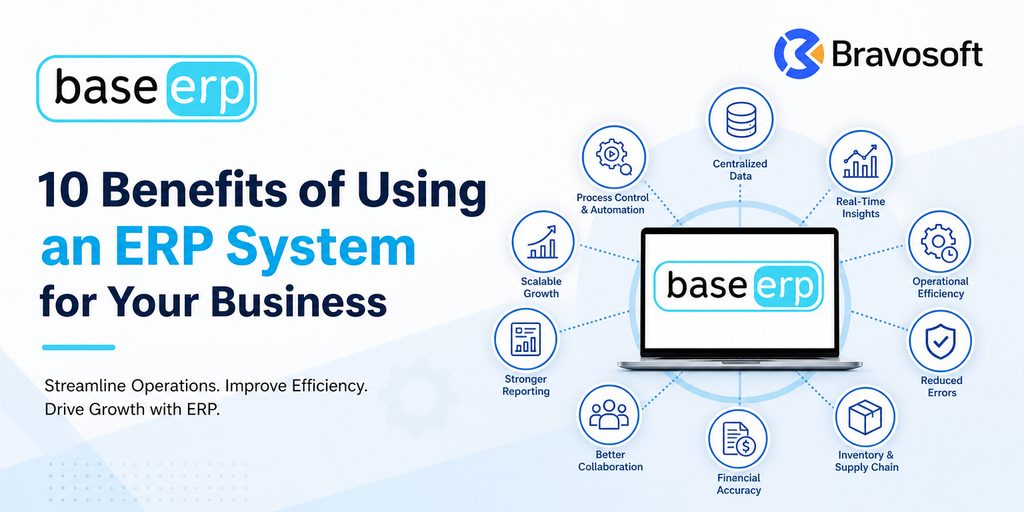
The benefits of using an ERP system extend across nearly every part of a business. Below are ten of the most significant advantages that companies experience after implementing ERP software.
1. Centralized Business Data
An ERP system creates one shared source of business information instead of scattered spreadsheets and disconnected software. Sales, inventory, purchasing, and finance all read from and write to the same database.
This centralized business data means employees are not chasing the latest file version or reconciling numbers between systems. When a sales order is entered, it becomes visible to inventory, warehouse, and finance teams immediately, without anyone re-typing it elsewhere.
2. Better Decision-Making With Real-Time Information
Managers can only make good decisions with accurate, current information. ERP dashboards and reports pull directly from live operational data, so leadership sees what is happening now rather than what happened weeks ago in a delayed spreadsheet report.
This kind of real-time business reporting gives decision-makers visibility into sales trends, inventory levels, production status, and cash flow without waiting for someone to manually compile numbers from multiple departments.
3. Improved Operational Efficiency
When systems are disconnected, employees spend time on repetitive work: exporting data from one tool, formatting it, and importing it into another. An ERP system removes this friction by connecting workflows across departments.
A purchase order approved in procurement can automatically update inventory expectations. A completed sale can automatically trigger an invoice. This kind of business process automation is one of the clearest ways ERP improves day-to-day efficiency.
4. Reduced Manual Data Entry and Errors
Manually entering the same information into multiple systems increases the risk of typos, mismatched records, and inconsistent data. Because an ERP system shares one dataset across departments, information is typically entered once and used everywhere it is needed.
This reduces duplicate data entry and lowers the chance of costly errors such as incorrect pricing, mismatched inventory counts, or invoices that do not match actual orders.
5. Better Inventory and Supply Chain Management
Inventory management is one of the areas where ERP systems deliver the most immediate, visible value. An ERP gives real-time visibility into stock levels, locations, and movement across warehouses, so businesses always know what they have on hand.
Connected to purchasing and sales data, ERP software also supports better supply chain management: procurement teams can see demand trends, warehouse teams can plan space and staffing, and businesses are less likely to face stockouts or excess inventory tying up working capital.
6. More Accurate Financial Management
When sales, purchasing, and inventory transactions connect directly to accounting, financial management becomes far more accurate. Instead of finance teams reconciling numbers from separate systems at month-end, transactions post to the books as they happen.
This gives finance teams a clearer, more current picture of revenue, costs, and cash flow, and it reduces the manual work involved in preparing financial statements and reports.
7. Improved Collaboration Across Departments
Disconnected software tends to create disconnected teams. Sales may not know what production can realistically deliver. Finance may not have visibility into pending purchase orders. An ERP system breaks down these silos by giving every department access to the same underlying information.
Sales, finance, HR, production, procurement, warehouse, and management teams can work from shared, accurate data rather than passing spreadsheets back and forth or relying on outdated status updates.
8. Stronger Reporting and Business Visibility
Because ERP systems centralize data from every connected department, they can generate reports and dashboards that reflect the full picture of the business rather than a single department’s view.
This centralized reporting gives management clearer visibility into performance across sales, inventory, production, and finance, supporting faster and better-informed business decisions.
9. Easier Business Growth and Scalability
As a business adds employees, locations, product lines, or transaction volume, disconnected tools and manual processes tend to break down first. ERP scalability allows a growing business to add users, modules, and locations without rebuilding its core systems from scratch.
This makes an ERP system a practical foundation for businesses planning to grow, since the same connected platform can support higher transaction volumes and additional business complexity over time.
10. Better Process Control and Automation
ERP systems support standardized workflows, approval chains, and role-based access, giving businesses more control over how processes are actually executed. Instead of relying on individual habits or informal steps, processes follow a consistent, trackable path.
Combined with automation for repetitive tasks such as invoice generation or stock replenishment alerts, this gives management stronger oversight of operations without adding administrative overhead.
How ERP Benefits Different Business Departments
The benefits of ERP software are not limited to one team. Different departments experience the same connected system in different, practical ways.
| Department | Common Challenge | How ERP Helps |
|---|---|---|
| Finance | Numbers scattered across spreadsheets, delayed month-end closing, manual reconciliation. | Transactions post automatically from sales and purchasing, giving finance real-time, accurate financial management. |
| Sales | No visibility into stock availability or order status before confirming a customer order. | Sales teams see live inventory and pricing, so orders are confirmed against accurate, centralized business data. |
| Inventory | Inaccurate stock counts, stockouts, or excess inventory tying up working capital. | Real-time inventory management shows stock levels, movements, and valuation across every warehouse. |
| Procurement | Manual purchase requests, duplicate orders, and limited supplier visibility. | Purchase requisitions, approvals, and vendor records flow through one connected procurement process. |
| Manufacturing | Production schedules disconnected from material availability and sales demand. | Production planning links directly to inventory and sales orders, reducing delays and material shortages. |
| HR | Payroll, attendance, and employee records tracked in separate spreadsheets or tools. | HR data, attendance, and payroll run inside the same system as operations, cutting administrative work. |
| Management | Reports assembled manually from multiple departments before decisions can be made. | Dashboards and centralized reporting give leadership real-time business reporting for faster decisions. |
Is an ERP System Worth It for Your Business?
Whether ERP software is worth it depends on how complex your operations have become and how much time is currently lost to manual, disconnected processes. An ERP system tends to deliver the most value when a business has:
- Multiple departments that need to share information, such as sales, inventory, and finance
- Growing transaction volume that manual processes struggle to keep up with
- Multiple locations, warehouses, or business units
- Several disconnected software tools that do not communicate with each other
- Frequent manual reporting that takes days to compile
- Inventory complexity, such as multiple warehouses or product variants
- Manufacturing operations that depend on coordinated planning across production and materials
- A need for real-time visibility for management decision-making
- Repetitive administrative processes that could be automated
Not every small business needs a full ERP system immediately. For a very small operation with simple processes, a lighter set of tools may still be workable. The decision ultimately depends on business complexity, available budget, implementation readiness, and how the business expects to grow over the next few years.
What to Consider Before Choosing an ERP System
Choosing the right ERP system is as important as deciding to implement one. Businesses evaluating ERP software should consider:
- Business requirements: which processes actually need to be connected first
- Required modules: sales, inventory, manufacturing, accounting, HR, CRM, or others
- Industry fit: whether the system is built for, or adaptable to, your industry
- Integration capabilities: how well it connects with existing tools
- Scalability: whether it can grow with additional users, locations, and volume
- Reporting: how easily the system produces the reports management actually needs
- Security and user access: role-based permissions and data protection
- Customization: how much the system can be tailored to specific workflows
- Data migration: how existing records will move into the new system
- Training: how easily teams can learn and adopt the new processes
- Implementation support: the vendor’s process for setup, testing, and go-live
- Total cost of ownership: licensing, implementation, training, and ongoing support costs
How BASE ERP Helps Connect Business Operations
Businesses looking for a practical example of an integrated ERP system can look at BASE ERP, Bravosoft’s BASE ERP business management platform. It connects core operations such as sales, purchasing, inventory, manufacturing, accounting, HR and payroll, supply chain, CRM, and asset management within one web-based system.
BASE ERP is particularly relevant for manufacturing and furniture businesses, where production planning, raw material tracking, and finished goods inventory need to stay aligned with sales and finance in real time. At the same time, the underlying approach, connecting departments through shared data rather than isolated tools, applies to businesses across many sectors.
Businesses that want to explore ERP implementation more broadly can also review Bravosoft’s Odoo ERP services, or see the full lineup of Bravosoft products built for connected business operations.
Conclusion
The benefits of using an ERP system come down to one core idea: connected, accurate information across the entire business. From centralized data and real-time reporting to better inventory control and more accurate financial management, an integrated ERP system replaces fragmented tools with one shared source of truth.
Not every business needs to implement ERP software immediately, but as operations grow more complex, the advantages of ERP systems, efficiency, visibility, collaboration, and scalability, become harder to achieve without one. Businesses evaluating their options can start by mapping their current processes, identifying where data and departments are disconnected, and using that picture to guide their ERP selection.
Frequently Asked Questions
The main benefits of using an ERP system include centralized business data, real-time reporting, improved operational efficiency, reduced manual data entry, better inventory and supply chain visibility, more accurate financial management, and stronger collaboration across departments.
ERP improves efficiency by connecting workflows across departments so information is entered once and shared automatically. This reduces repetitive manual work, such as re-entering data between systems, and speeds up processes like order fulfillment, invoicing, and reporting.
Yes. Because an ERP system uses one shared database across departments, data typically needs to be entered only once. This reduces duplicate entry, lowers the risk of mismatched records, and cuts down on administrative time spent reconciling information.
ERP software gives real-time visibility into stock levels, locations, and movement across warehouses. This helps businesses avoid stockouts and excess inventory, coordinate purchasing with actual demand, and keep inventory records accurate without manual counts and spreadsheets.
ERP can be useful for small businesses, particularly as they add departments, locations, or transaction volume that manual processes can no longer handle well. Very small operations with simple processes may not need a full ERP system immediately, so the decision depends on business complexity and growth plans.
Before implementing ERP, a business should assess its actual requirements, which modules it needs, industry fit, integration with existing tools, scalability, reporting needs, security and user access controls, customization options, data migration plans, training, implementation support, and total cost of ownership.